
Knowledge Hub
Keep work organized in spaces, folders and pages. Use templates to start quickly, then search across your pages, spaces, folders and files.
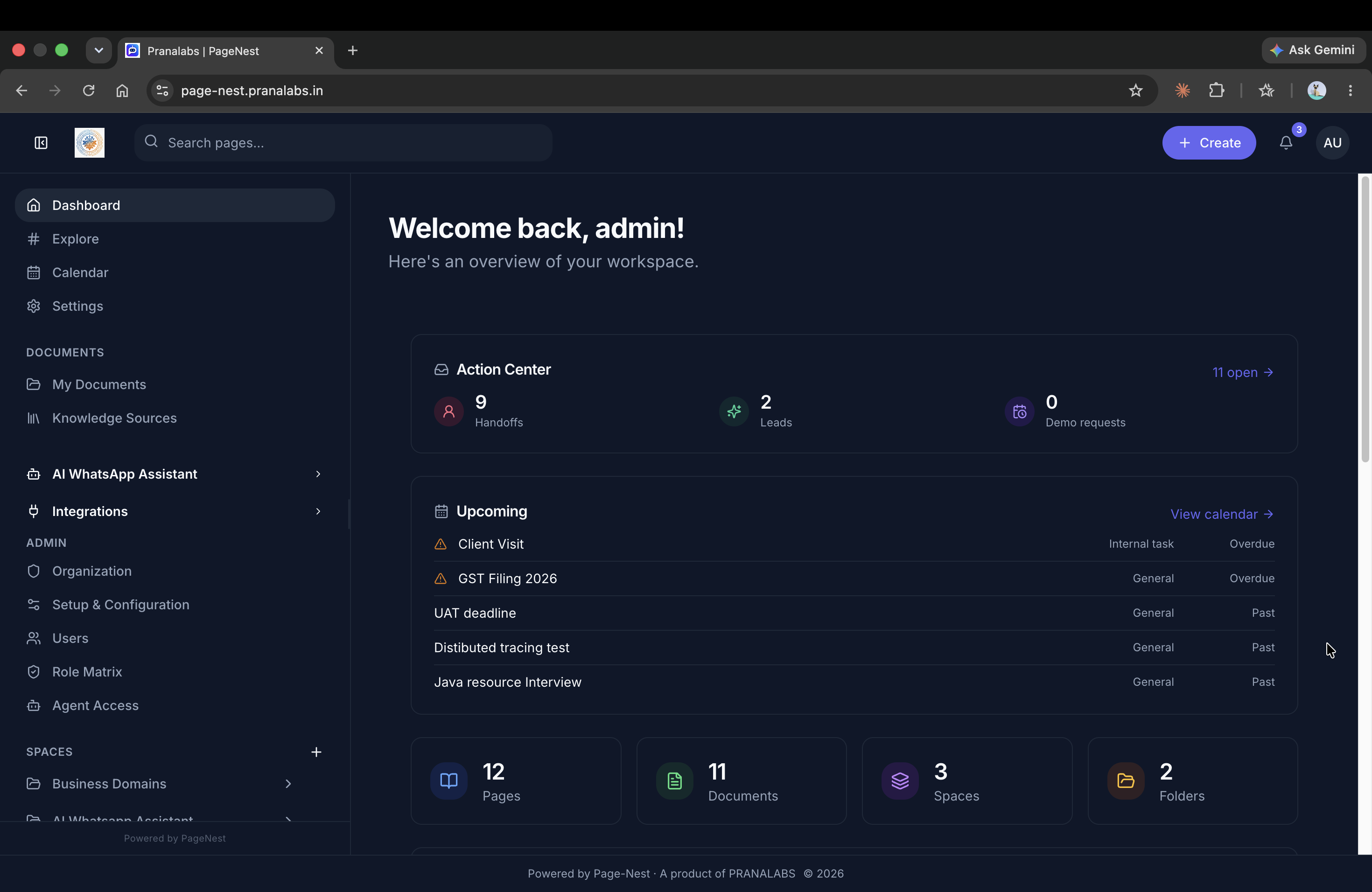
Give your team one place to organize information, work with documents, get answers from AI, and turn customer conversations into action.
Use it as a cloud service through the Page-Nest portal, or install it on your own servers (on-premise).
Page-Nest connects the information your team maintains with the work it does every day. Write and review pages, keep files close, ask AI for context, and use your knowledge to support customer-facing workflows.
See Page-Nest in actionStart with documentation and extend into AI-assisted work and customer engagement.
Keep work organized in spaces, folders and pages. Use templates to start quickly, then search across your pages, spaces, folders and files.
Ask questions about the current page or selected sources and review answers grounded in the knowledge you can access.
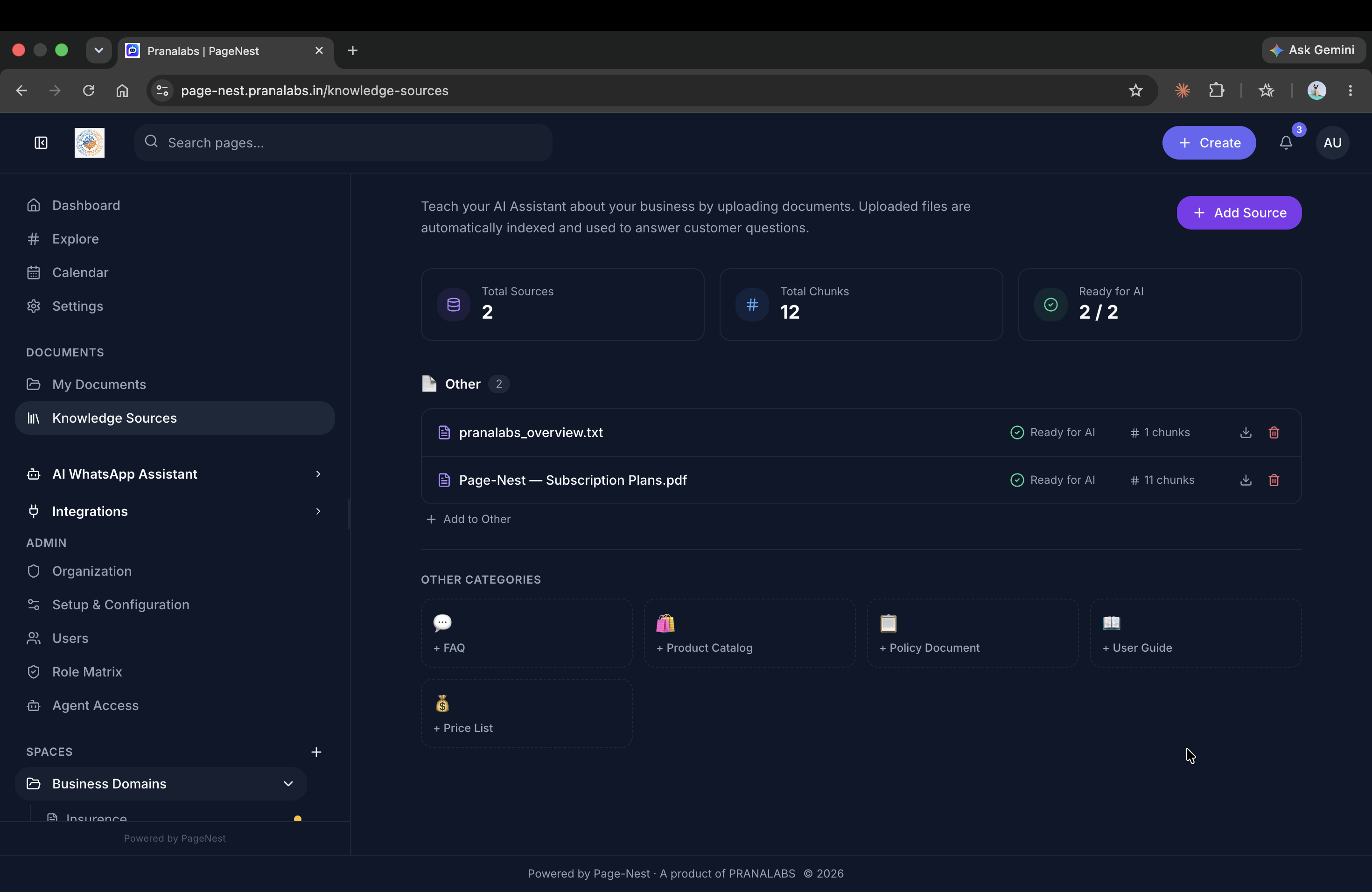
Store company files and images, preview material, and make selected content available as AI knowledge sources.
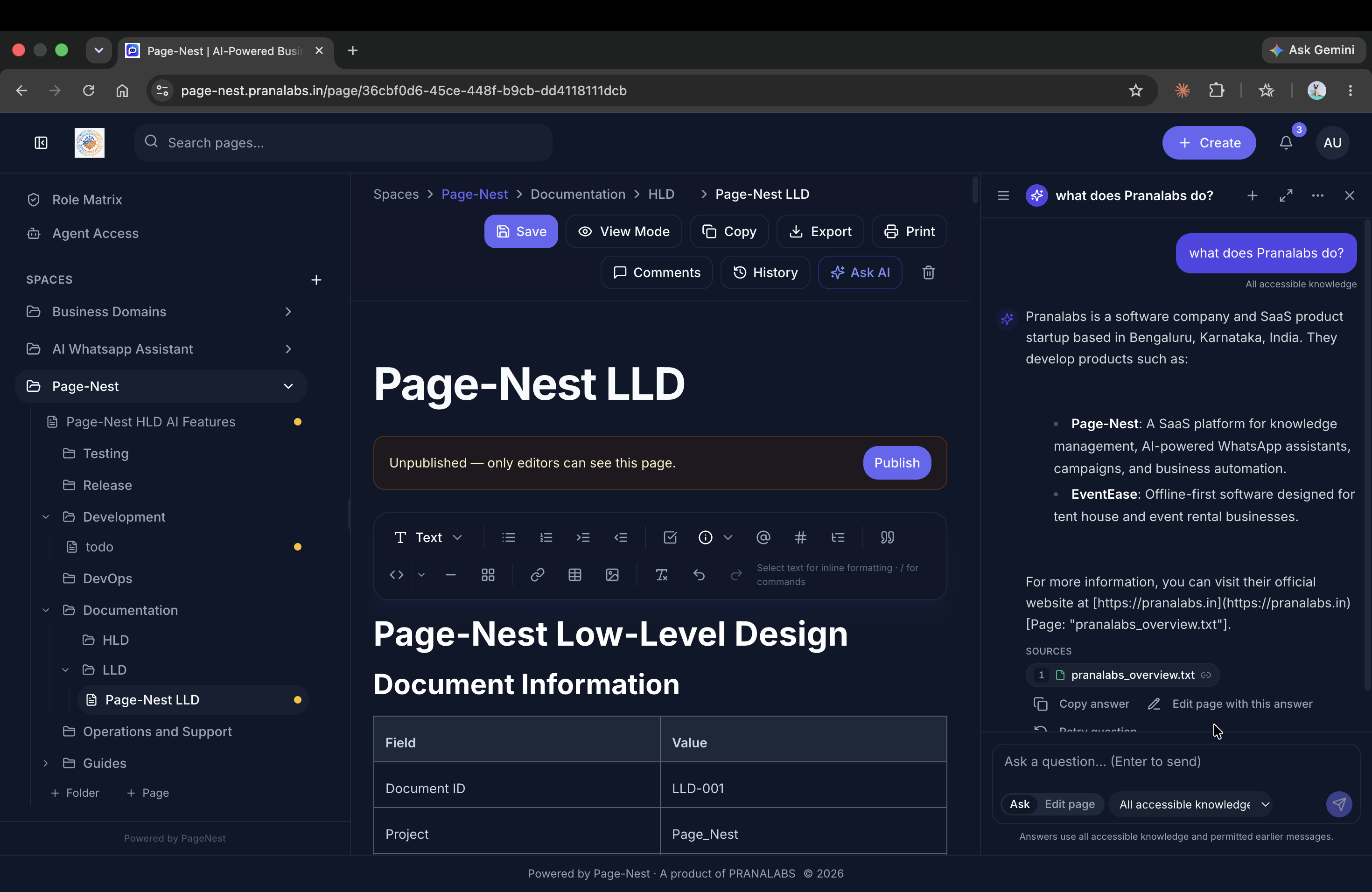
Ask AI to improve a page, review its proposal, and choose whether to apply it. AI never saves the edit for you.
Work with drafts and published pages. Review comments, compare versions, and restore a previous page as a new version.
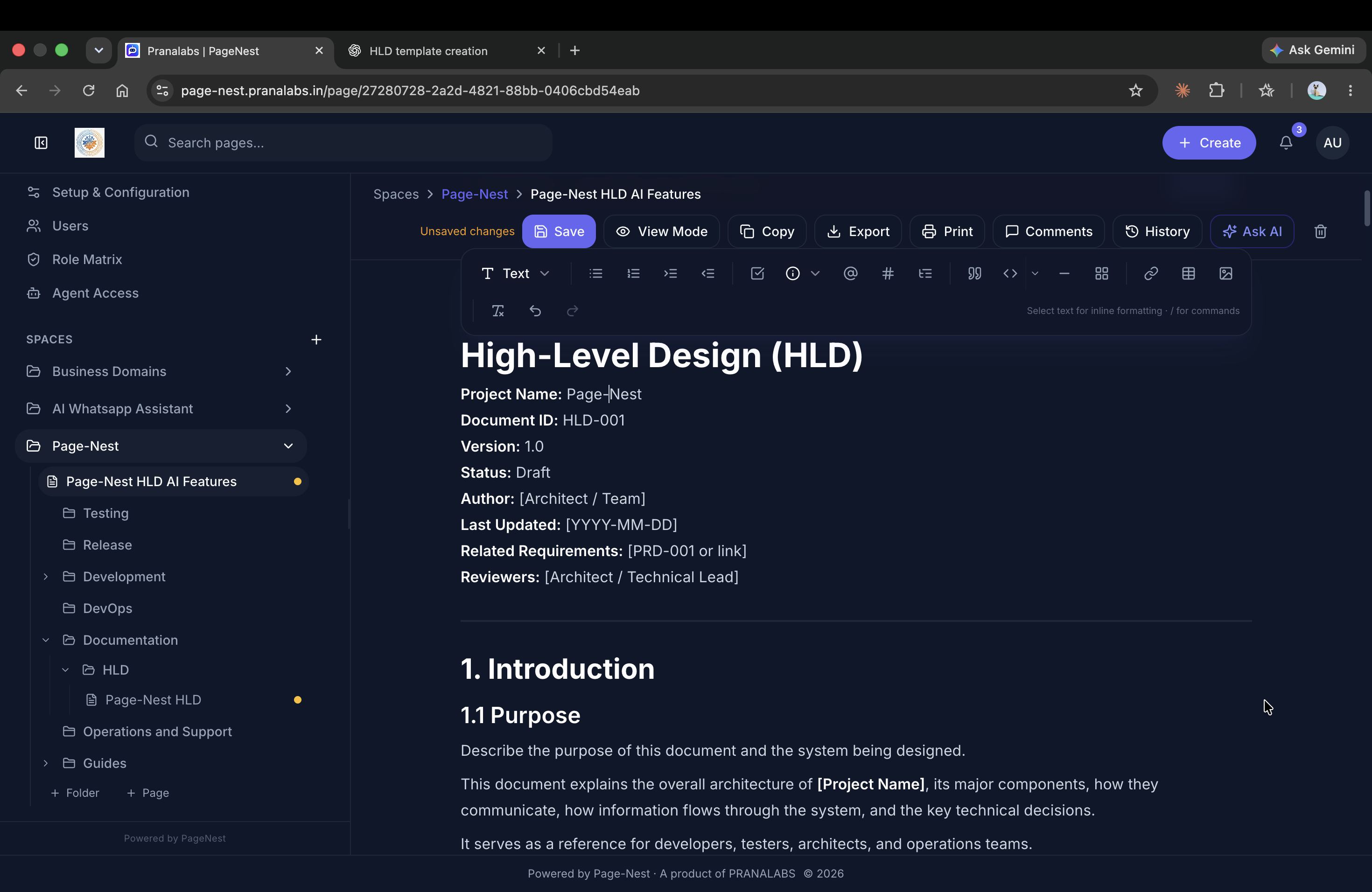
Discuss a specific passage with inline comments and keep the conversation beside the document.
Guide customer conversations with menus, knowledge-based answers, and human handoff.
Explore WhatsApp solutionRun approved WhatsApp campaigns, capture enquiries, and organize follow-up work in the Action Center.
Sign in through the platform identity service. Tenant roles, space permissions, and feature entitlements shape access.
Choose knowledge sources and assistant paths for the work your organization wants to automate.
Connect compatible AI tools to Page-Nest documentation through an authenticated MCP gateway. Writes use preview and permission checks; the gateway is being validated in development.
Explore a simple journey using screenshots from the Page-Nest production workspace.
Find your spaces, documents, knowledge sources, and follow-up work from the dashboard.
Navigate a space, read rich pages, discuss passages, and return to earlier versions when needed.
Upload business documents, see indexing progress, and review which sources are ready for answers.
Use the Ask AI drawer to work with accessible knowledge and inspect the source documents behind an answer.
Screenshots show the production workspace. Example documents and workspace data are for product illustration.
Document architecture, onboarding, release decisions and support runbooks as your team grows.
Turn repeatable knowledge into guides, templates and answers your team can reuse.
Give staff a shared home for admissions guidance, policies and learning resources.
Organize procedures, client checklists and recurring questions in searchable spaces.
Keep property guides, sales playbooks and customer FAQs together; route interested enquiries to your team.
Page-Nest uses tenant workspaces, identity-based sign-in, roles and permissions. AI page edits require an authorized author to review and apply a proposal; version history makes later comparison and restore possible.
Discuss your access needsTell us what your team documents today and where you want AI to help.